Upload
Bring one or more PDF documents into a Documents Package.

eSignature and document management
Organize business files, manage document history and complete secure eSignature workflows in one workspace.

How it works
Keep the work moving without making senders or signers learn a complicated system.
Bring one or more PDF documents into a Documents Package.
Add recipients and place signature, text, date and checkbox fields.
Deliver secure, signer-specific links and follow progress.
Collect final documents, completion evidence and the package record.
A complete agreement workflow
Build a Documents Package with multiple PDFs, add recipients once, then place and assign every field from one focused workspace.
Signers can securely review and complete their assigned items from a dedicated link. A normal eSignAccord account is not required.
No account required•••See whether a package is a draft, awaiting signatures or complete, with participant progress and timestamps in one place.
Review package activity, signer progress, completion timestamps and system-generated evidence without turning legal records into a black box.
Product in motion
Play short product sequences that show package preparation, signing and everyday document organization.
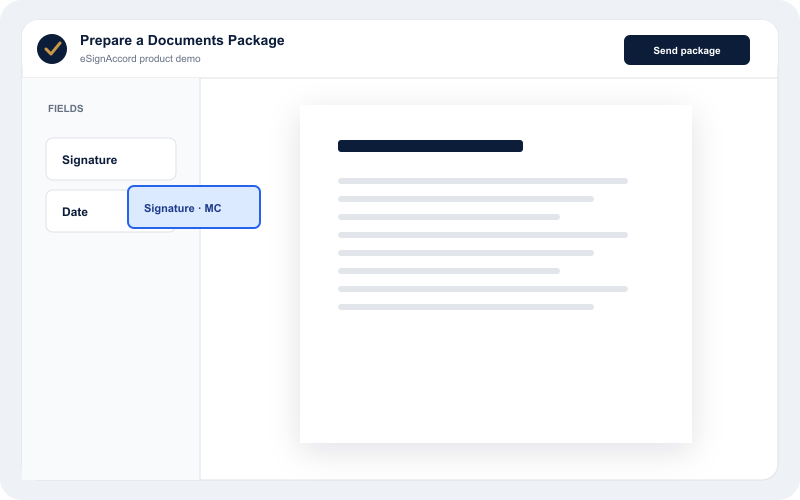
Place a recipient field and send the Documents Package.
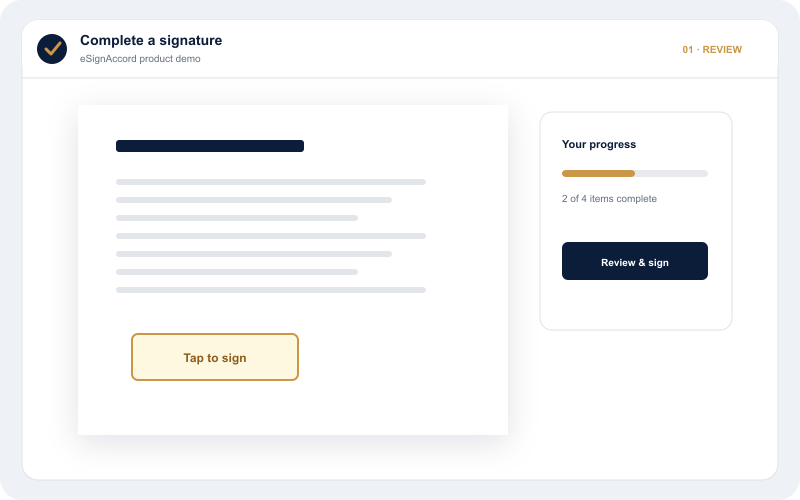
Move from review to signature and completion.
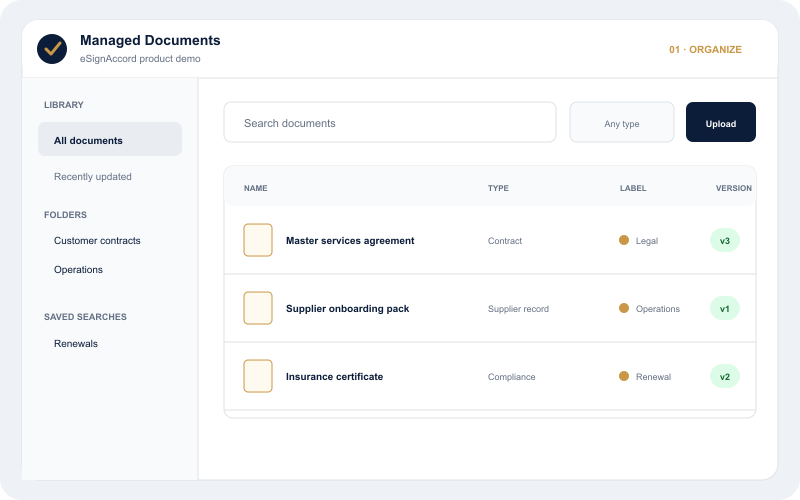
Search by name, browse folders and narrow the library by document type or label.
Document management
Managed Documents is now a dedicated workspace for keeping, organizing, finding and discussing business files—whether or not they need a signature.
Documents and eSignature Packages are available as independent product areas. Templates, Package connections and suite-wide AI-powered Search remain on the product roadmap.Upload, organize, preview, discuss and version business files independently of signing.
Planned reusable preparation for documents, recipient roles and signing fields.
Combine documents, assign recipients and move each agreement through its own signing workflow.
Document-local discovery is available now; intelligent suite-wide Search is planned.
Managed Documents is available as a dedicated product workspace.
Use nested folders, document types, labels and custom details that fit the way your business works.
Keep PDF, Word, Excel, PowerPoint and common image files without converting their contents.
Search names, filter by type or label, sort results and save useful views for later.
Every accepted replacement becomes a new version while earlier files remain available.
Keep personal notes private and discuss each file version with authorized colleagues.
Link related documents or upload a new file as a connected business record.
Tenant-scoped package templates are planned to preserve source documents, recipient roles, field placement and preparation details—while each new package remains an independent signing workflow.
eSignAccord is being designed for API-driven document workflows, embedded signing and enterprise integration. These capabilities are not yet generally available.
Made for multilingual teams
eSignAccord supports English and Arabic across the experience. Arabic is built in—not added on—with screens and actions that flow naturally from right to left.
Arabic, built inClear, familiar and ready for everyday business.
→تجربة عربية أصيلة من أول خطوة حتى التوقيع.
←Built for everyday business
Move proposals and commercial agreements from preparation to completion.
Coordinate employment and policy documents with clear signer progress.
Keep supplier and operational agreements organized around their status.
Prepare client documents, collect signatures and retain the completed record.
eSignAccord
Create your workspace, organize business files or prepare your first Documents Package.